REL ST DSR
Process Overview
| Fields | Description |
|---|---|
| Process Name | REL ST DSR |
| Segment | REL |
| Process Family | Lenovo India |
| Process User(s) | Wyzmindz solutions pvt ltd |
| Process Purpose | This report is instrumental in providing actionable insights, tracking performance, and supporting Lenovo’s sales strategies |
Version History
| Version Tag | Prepared By | Date of Update/Revision | Reviewed by | Approved by | Revision Details |
|---|---|---|---|---|---|
| V 1.0 | Raksha S | 02-04-2026 | SOP Document Creation |
Distribution & Access List
| Designation | Read | Write | Approval |
|---|---|---|---|
| Analyst | Yes | Yes | Yes |
| Team Lead | |||
| Manager |
1.1 Purpose
This report provides a consolidated and accurate view of sell-thru transactions across all Tier-1 distributors(Rashi, Redington, Ingram, Savex & Supertron), ensures standardization and data quality through validation, mapping, and master data alignment, supports weekly sell-thru analytics and reporting for MIS and management teams, and maintains an up-to-date and reliable dataset in CDMS for downstream reporting and analysis
1.2 Scope
- Geographic Scope: India.
- Business Segment: REL Segment
- Process Frequency: Everyday
- Key Distributors Covered: Rashi, Redington, Ingram, Savex & Supertron
1.3 Business/Segment Overview
The REL ST DSR Consolidation Weekly Report process involves the collection, validation, consolidation, and upload of sell-thru data received from multiple T1 distributors for Lenovo India. On a weekly basis, daily distributor sales reports (DSRs) received via the REL Reports mailbox are standardized using a common template, validated against master data, and appended to a centralized base file. The consolidated data is then shared with Lenovo Team for internal analytics and management review.
1.4 Responsibility and authority
- Analyst : Raksha S
- Process Owner : Navaneeth K
- Process Manager : Dayanand U
- Approval authority : Vishwanath Mosale
1.5 Escalation matrix: (Wyzmindz and Lenovo)
Escalation Matrix - Wyzmindz Solutions Private Ltd
| Level | Name | Designation | |
|---|---|---|---|
| 1 | Sushruth Vasista | Manager | sushruth.vasista@wyzmindz.com |
| 2 | Vishwanath Mosale | Director | vishwanath.mosale@wyzmindz.com |
Escalation Matrix – Lenovo india Private Ltd
| Level | Name | Designation | |
|---|---|---|---|
| 1 | T Renganathan | Manager | trenganathan@lenovo.com |
1.6 RACI Matrix
RACI Matrix – WyzMindz Solutions Pvt Ltd India
| Report / Process | Responsible | Accountable | Consultation | Informed |
|---|---|---|---|---|
| REL ST DSR | Raksha | Raksha | Navaneeth K | Lenovo Ind Pvt Ltd, Wyzmindz Solutions pvt Ltd India |
1.7 Access Required
- Outlook & Webmail Access
- Access to Ms Office Suite
- Co-data Website
- Access to coperations@lenovo.com Mails (to get latest Rashi DSR)
- Access to nk@lenovo.com Mails (to get latest DSR’s)
1.8 Overview of Tools
- Ms Office Suite
1.9 Legends
- DSR – Daily Sales Report
- MTM – Material
- ST – Sell-thru
- SM – Sales manager
1.10 Data Dependencies
- LBP Dump
- MTM Master
- RM Mapping
- City and Region Mapping file
- EBR File (for AUR)
-
There are 5 T1(Distributors) we receive DSR from on daily basis.
-
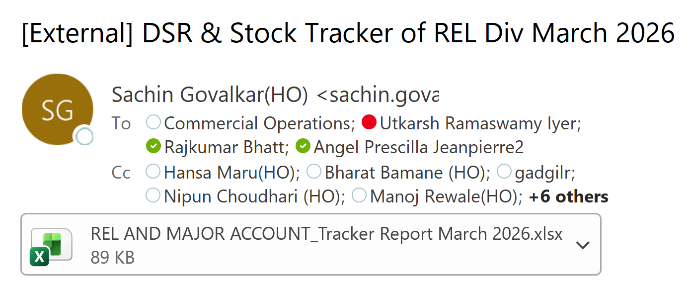
RASHI - “[External] DSR & Stock Tracker of REL Div March 2026” on Coperations
-
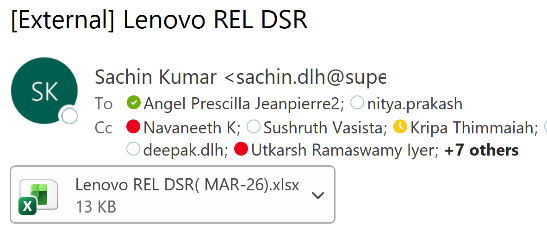
SUPERTRON - “[External] Lenovo REL DSR” on Coperations ID
-
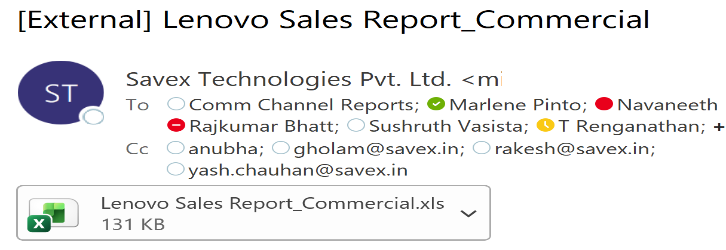
SAVEX - “[External] Lenovo Sales Report_Commercial” on Coperations ID
-
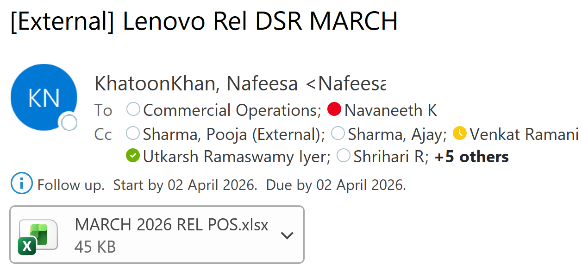
INGRAM – “[External] Lenovo Rel DSR MARCH” on Nk ID
-
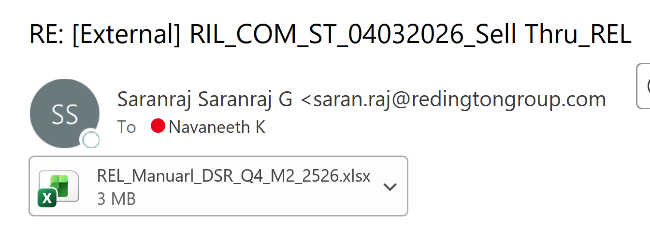
REDINGTON – “[External] RIL_COM_ST_04032026_Sell Thru_REL” on Nk ID
1.11 Schedule of reporting
- Daily from Monday to Friday.
1.12 Flow Chart

1.13 Steps of Procedure
1.13.1 Open Base file.

1.13.2 Open REL DSR Template.

1.13.3 Remove all row data except row (with data) as it has formulae.

1.13.4 Filter “T1_name” with RASHI.
1.13.5 Check with most recent “invoice_date”, eg., Most recent date is 26th June.
1.13.6 Open DSR shared from RASHI.
1.13.7 Filter “Invoice Date” with new dates which are not available in base file, eg., select dates beyond 26 i.e., 27th, 28th and so on…
1.13.8 Update Disty with “RASHI”.
1.13.9 Copy data from below Fields of received DSR and Paste in their respective fields in Template (Update only Blue highlighted headers only).
| Reseller Name | BP Name |
|---|---|
| City | City |
| Vendor MTM no | MTM |
| Qty | Qty |
| Invoice No | Invoice # |
| Material Value | Invoice value(raw) |
| Invoice Date | Inv Date |
| Price Link.Contract Number | CIN-Contract# |
| End Customer | End Customer Name |
| GSTIN No | GST NO |
1.13.10 Similarly, REDINGTON & SUPERTRON.
1.13.11 Open DSR received from SAVEX.
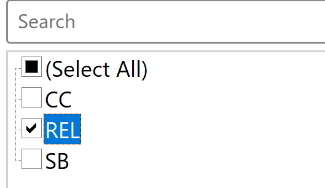
1.13.12 Filter “Biz Type” with “REL”.
1.13.13 Follow similar process as 1.5.9.
1.13.14 After updating inputs in Template, drag formulated fields
(Headers highlighted in yellow).
1.13.15 Check for #NA in Rationalized BP Name.
1.13.16 If there, check for similar name in “BP Name Master Copy” sheet of template, “Disty Name” field, if available then update with respective Rationalized name else append it with proper naming convention.
1.13.17 Similarly, City field.
1.13.18 Check for #NA in “Material Description” as it’ll map MTM with its specs.
1.13.19 If there filter them.
1.13.20 Open AP to MTM Mapper.

1.13.21 Copy new MTM from Template and paste in MTM Mapper(MTM-1).

1.13.22 Copy entire row and paste in MTM Master file.
1.13.23 Update “Biz Group” and “Family” by using its specifications with similar specs and save it.
1.13.24 Clear all filter in Template and drag Specification field in Template to refresh the data.
1.13.25 Similarly drag all remaining formulated Fields and Save the file.
1.13.26 Open Base file.
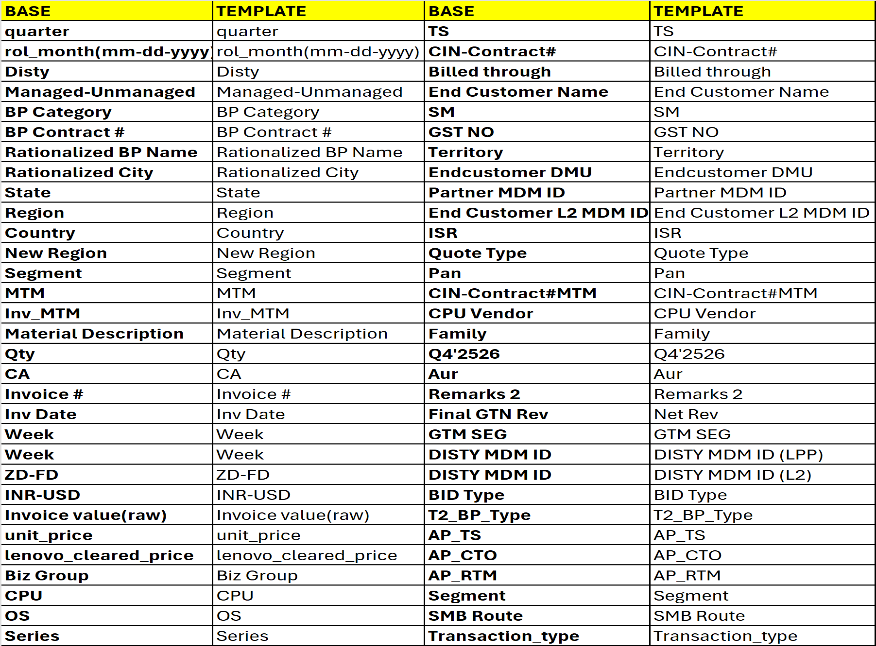
1.13.27 Append data from Template to Base file as per below Field naming conventions.
1.13.28 Drag “quarter” and “rol_month(mm-dd-yyyy)” field till end.
1.13.29 Check for Invoice date and ROL Month, eg., if Invoice date is “20-06-2023” then ROL Month should be “01-06-2023” i.e., first date of that invoice month.
1.13.30 Save it.
1.14 Output Overview
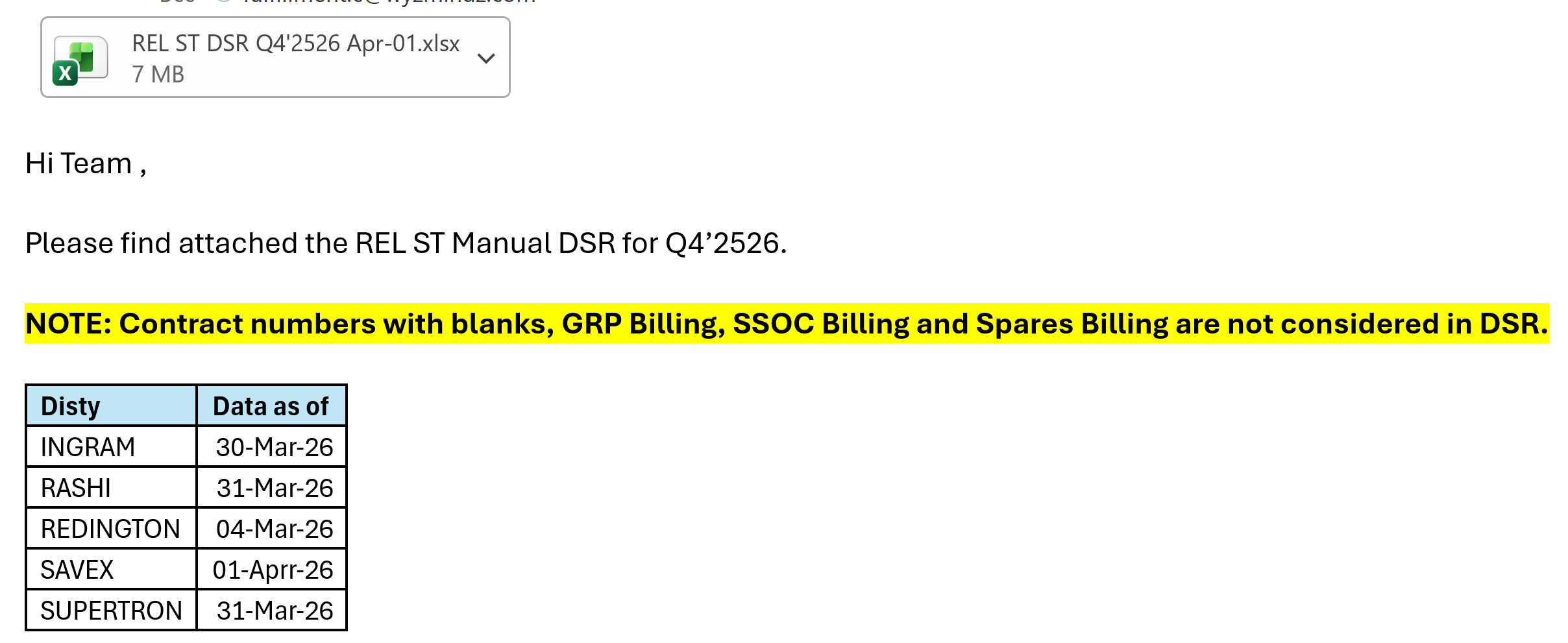
Share the file in the prescribed format below,
1.15 Validation checklist
- Verify and identify any incomplete or incorrect contract numbers.
- Ensure that SSOC, DOA, GRP Billing, and blank entries are not included in the file.
- Confirm that only “Internal” is present under the “Quote Type” column.
- Validate that only REL transactions are present under the “GTM SEG” column; if any non-REL transactions are found, contact the concerned distributor for confirmation.
- Ensure that all columns are fully updated without any #N/A values.
1.16 Communication
Archana Sarfare archsarf@lenovo.com; Irfan Khan s2 is2@Lenovo.com; Sundar P mp7@Lenovo.com; Vaishali Taresh Patel vaishali@lenovo.com; Yash Goyal1 ygoyal1@Lenovo.com; Kishore Kumar V3 kv3@lenovo.com; Ankur Arora3 aarora3@lenovo.com; Ratna Bhushan rbhushan@lenovo.com; Prateek Sharma25 psharma25@Lenovo.com; Vinod kumar Kr vkr@lenovo.com; Kuhel Chowdhury1 kchowdhury1@lenovo.com; Gifty Boparai gboparai@lenovo.com; KC Dharshan kdharshan@lenovo.com; Rudra Reddy G1 rg1@lenovo.com; T Renganathan trenganathan@lenovo.com; Marlene Pinto mpinto4@lenovo.com; Dayanand U du@lenovo.com; Prasad Emmi pemmi@Lenovo.com; Amit Luthra5 aluthra5@lenovo.com; IN Channel Ops INChannelOps@LenovoBeijing.onmicrosoft.com; Saikat Banerjee11 sbanerjee11@Lenovo.com