WATERFALL SKIN
Process Overview
| Fields | Values |
|---|---|
| Process Name | Waterfall Skin |
| Segment | All |
| Process Family | Lenovo India |
| Process User(s) | Wyzmindz solutions pvt ltd |
| Process Purpose | This report is instrumental in providing actionable insights, tracking performance, and supporting Lenovo’s sales strategies |
Version History:
| Version Tag | Prepared By | Date of Update/Revision | Validated by | Reviewed by | Approved by | Revision Details |
|---|---|---|---|---|---|---|
| V 1.0 | Amruta Jamnis | 30-03-2026 | Sushruth Vasista | Vishwanath Mosale | SOP Document Creation |
Distribution and Access List:
| Designation | Read | Write | Approval |
|---|---|---|---|
| Analyst | Yes | No | No |
| Team Lead | Yes | Yes | No |
| Manager | Yes | Yes | Yes |
1.1 Purpose
The SOP explains the step‑by‑step procedure to prepare the India Waterfall Update report using WF Skin Mapper and multiple waterfall source files. The process ensures consistent weekly reporting, accurate mapping, and validation of waterfall data.
1.2 Scope
- Geographic Scope: India.
- Business Segment: CONS, SMB, TAB, REL, Visuals, WEB
- Process Frequency: Weekly
- Core Activity: To Review All Segments Sales details
- Key Distributors Covered: Lenovo
1.3 Responsibility and authority
- Analyst: Amruta Jamnis
- Process Owner: Amruta Jamnis
- Escalation Manager: Sushruth Vasista
- Approval Authority: Vishwanath Mosale
1.4 Escalation matrix: (Wyzmindz and Lenovo)
Escalation Matrix – WyzMindz Solutions Pvt Ltd India
| Sl No. | Name | Designation | Email ID |
|---|---|---|---|
| 1 | Sushruth Vasista | Manager | sushruth.vasista@wyzmindz.com |
| 2 | Vishwanath Mosale | Director | Vishwanath.mosale@wyzmindz.com |
1.5 RACI Matrix
RACI Matrix – WyzMindz Solutions Pvt Ltd India
| Report / Process | Responsible | Accountable | Consultation | Informed |
|---|---|---|---|---|
| Waterfall Skin | Amruta | Amruta | Dayanand | Lenovo Ind Pvt Ltd, Wyzmindz – Lenovo Process Team |
1.6 Access Required
- Outlook & Webmail Access
- Access to Ms Office Suite
1.8 Data Dependencies
- India Waterfall Update_WeekXX.xlsx (Main File)
- Con OL AP WF file
- Con SI AP WF file
- Con SO AP WF file
- Con ST AP WF file
- Con Vis ST AP WF file
- Ops SMB WF files (.xlsb)
- TAB WF file
- Consumer WF file
- REL SI WF files
- REL - LOB AP Submission
- SOSB ST WF Chart file
- WF Skin Mapper file
1.9 Legends
- SI - Sell In
- ST - Sell thru
- SO - Sell Out
- WF – Waterfall
- CONS – Consumer
- TAB – Tablet
- Vis – Visuals
- SOSB – SMB
1.10 Schedule of Reporting
- Frequency: Weekly
1.11 Process Flow Chart
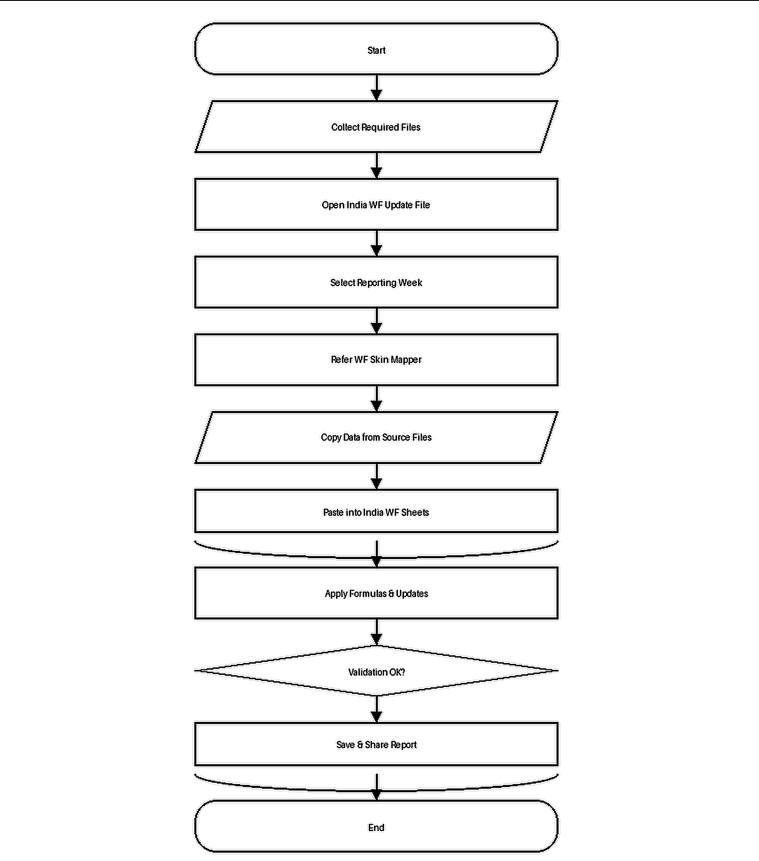
1.12 Steps of Procedure:
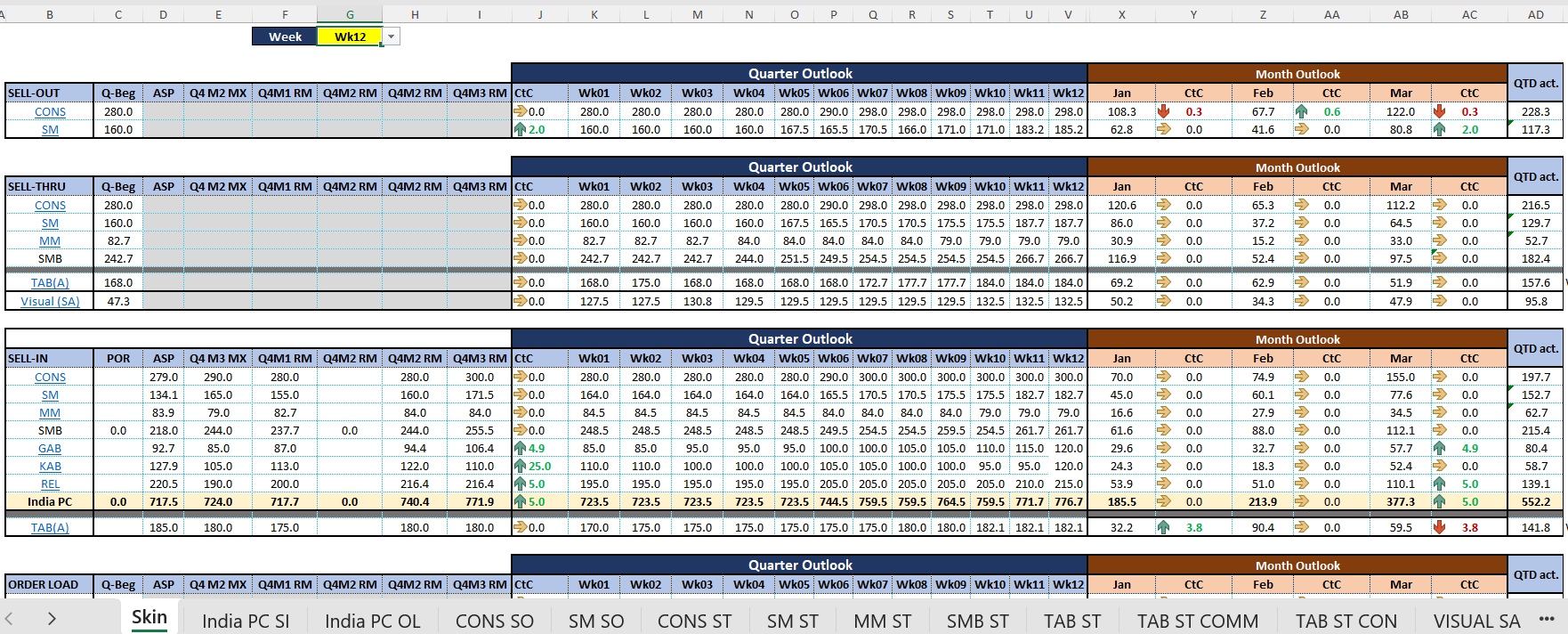
- Open India Waterfall Update file. Unhide column G in Skin sheet and change reporting week.
- Unhide corresponding week column in Quarter Outlook table.
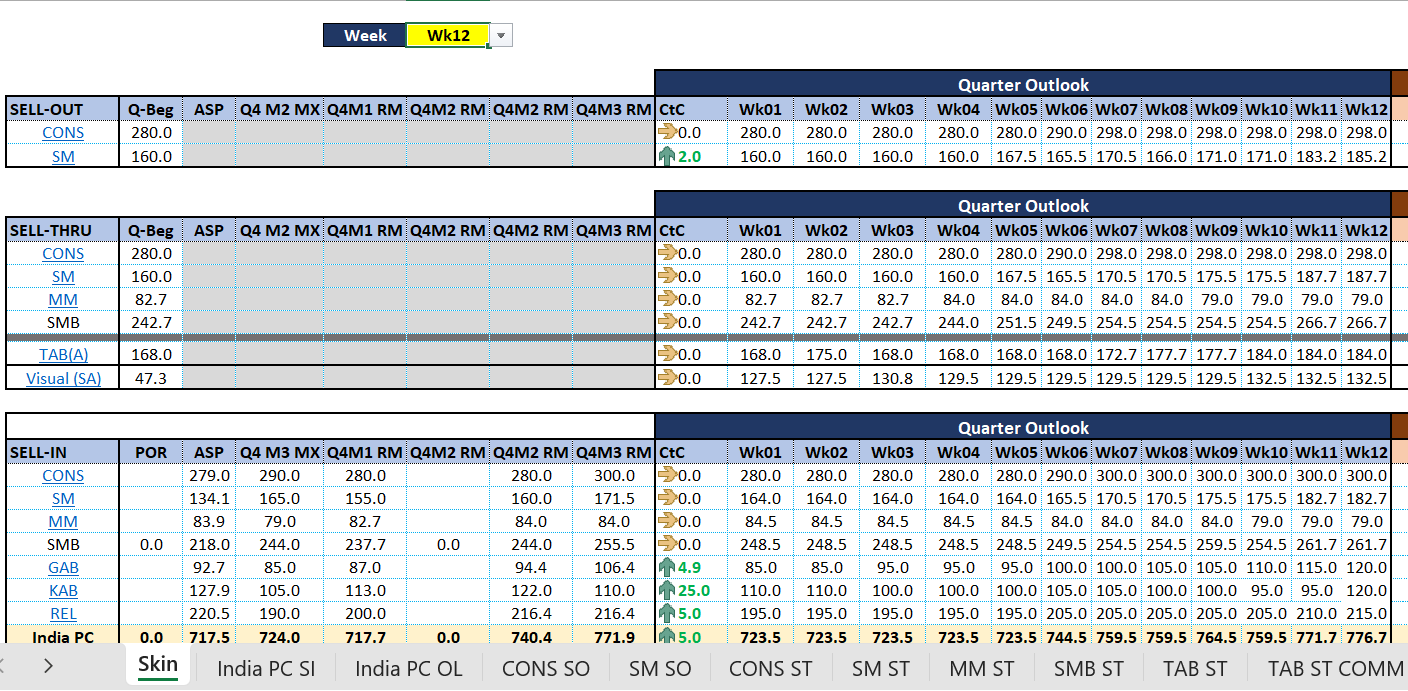
- Open CONS SO sheet and open CONS SO AP WF source file.
- Copy Week data (Column D–R) from SO‑Overall sheet and paste into CONS SO AP sheet in India WF Update file.
- Drag formulas for Month and Quarter rows and apply number format with 1 decimal place.
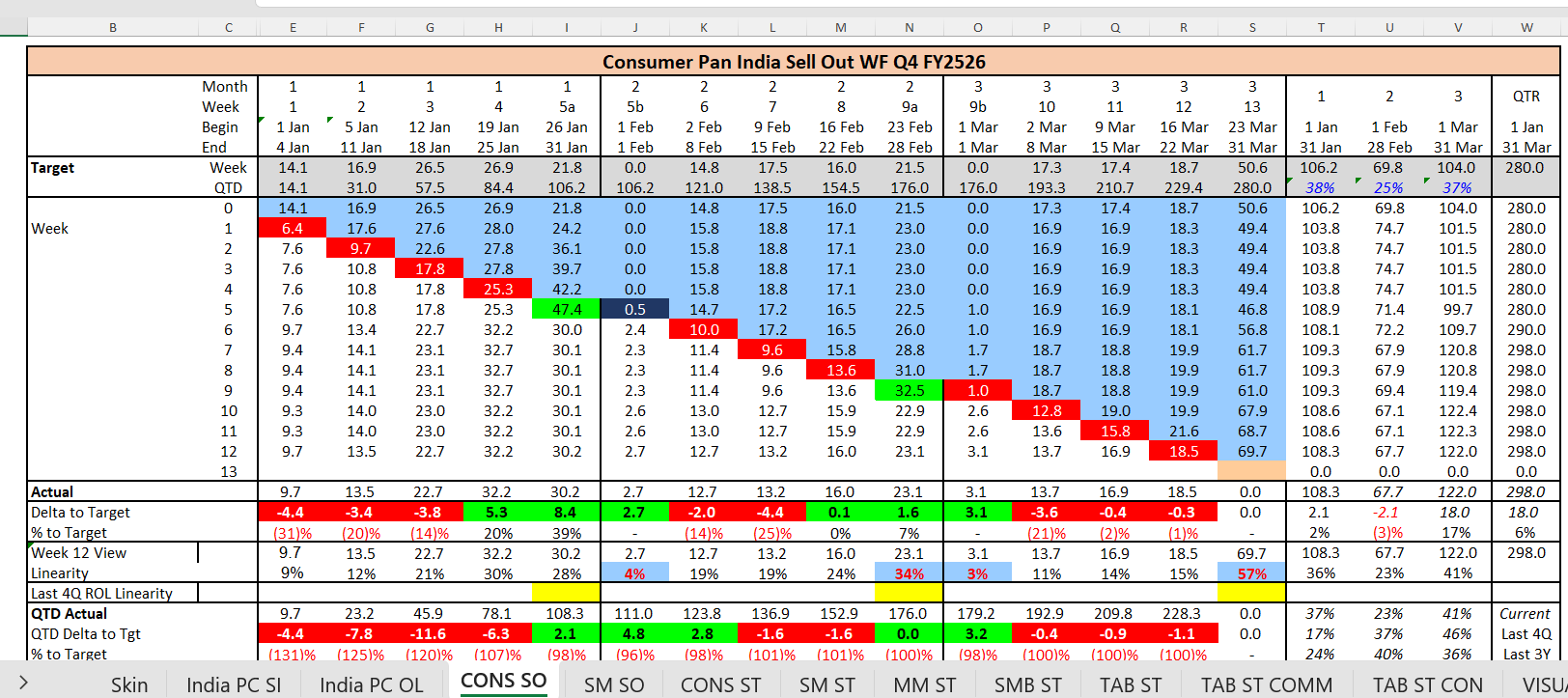
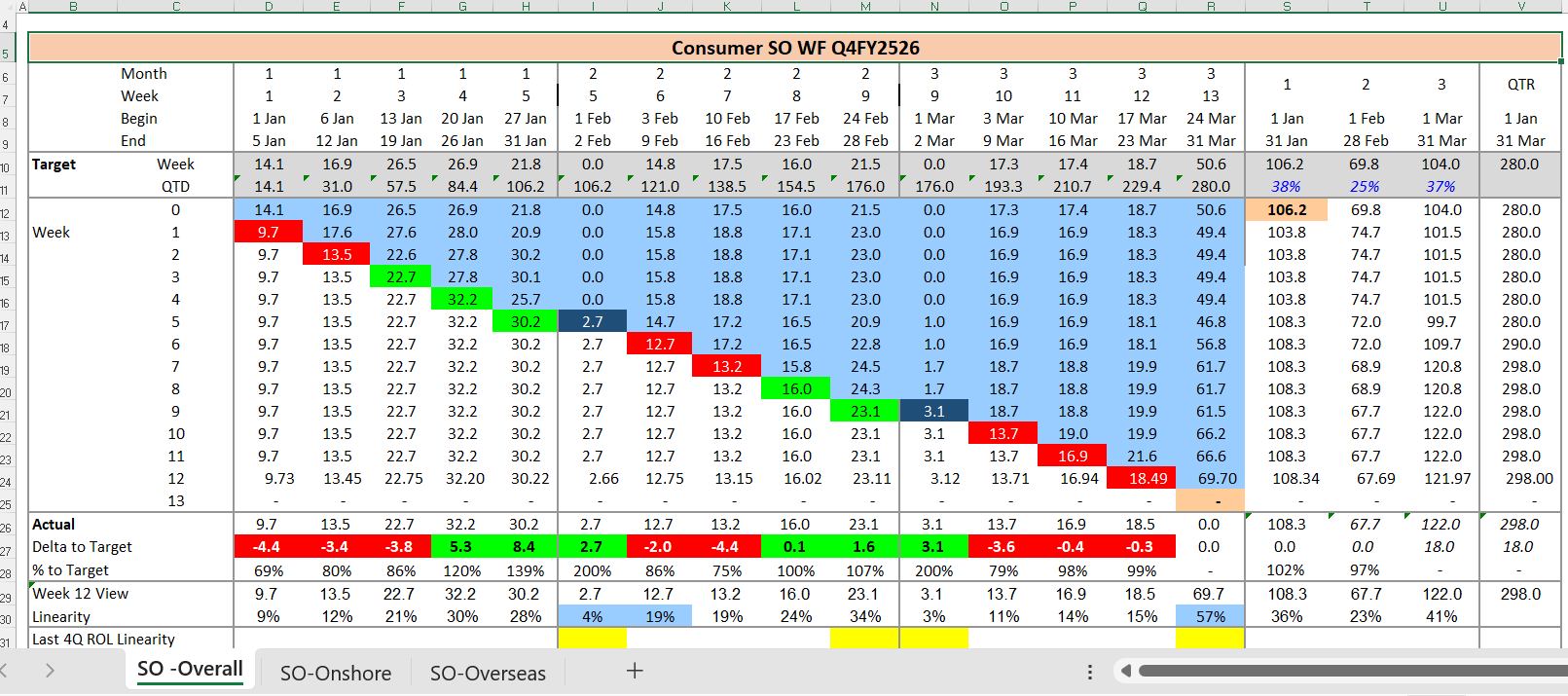
- Update Actual row using formula =E24 and drag till reporting week only.
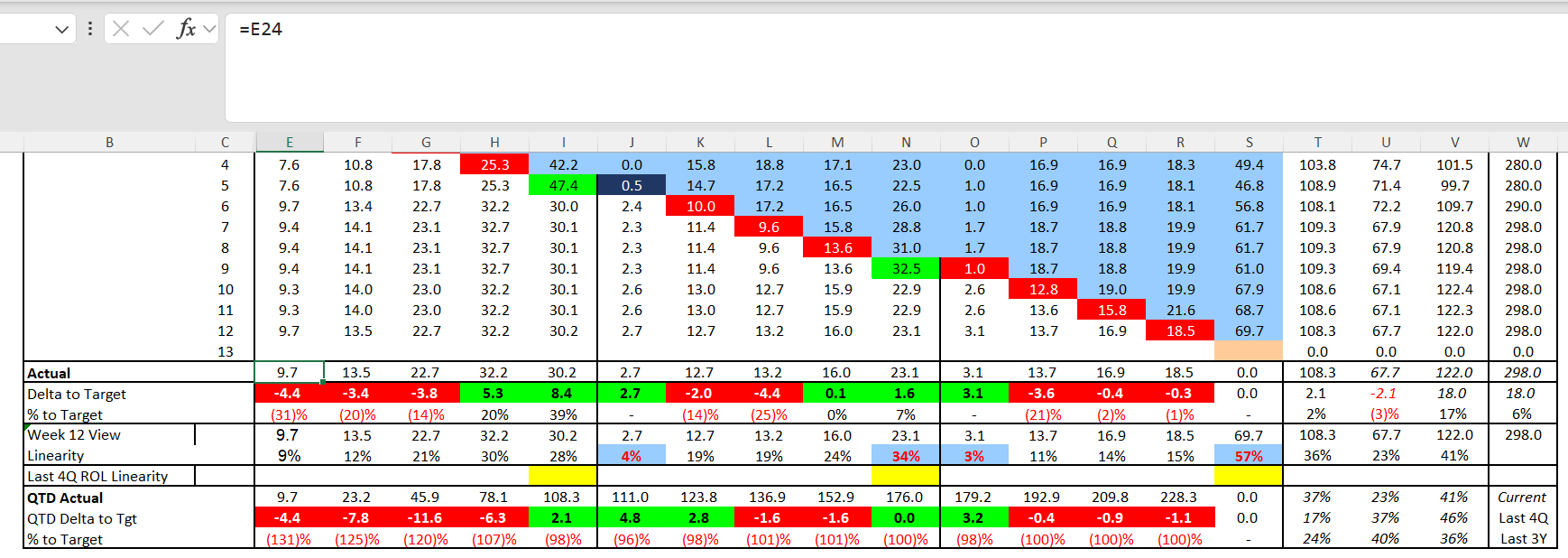
- Update Delta to Target using formula =E26-E10 and drag till reporting week only.
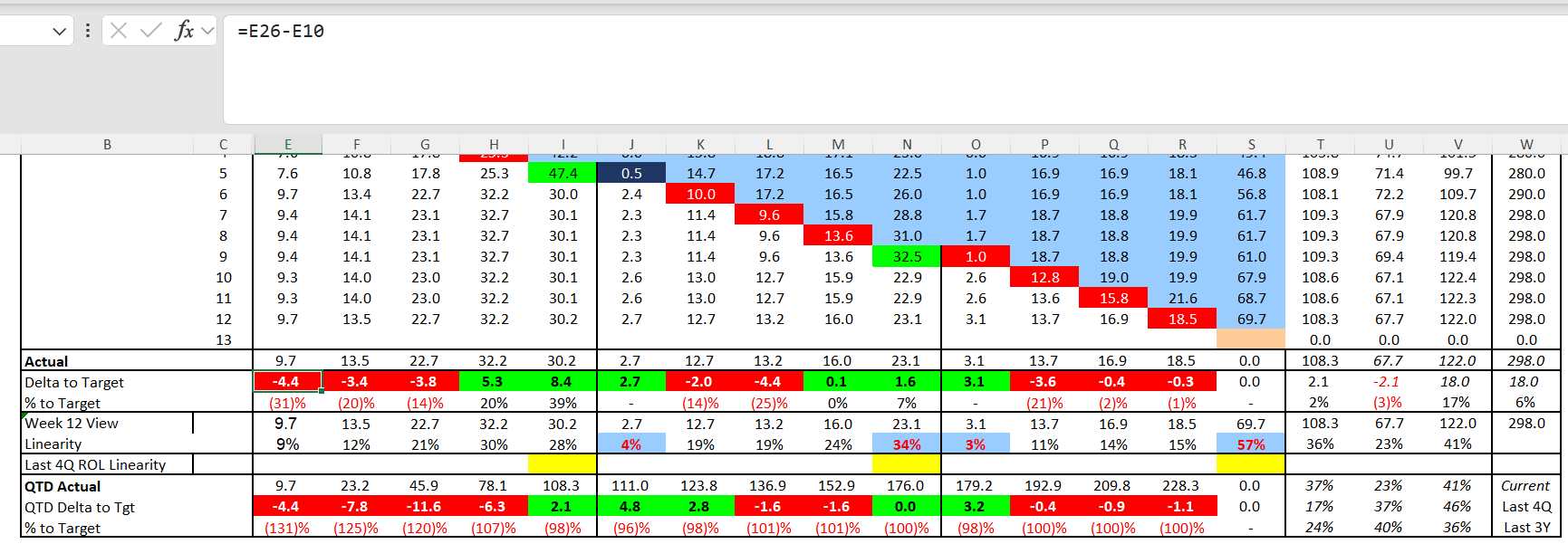
- Update % to Target using =IFERROR(E26/E10-1,0) in percentage format and drag till reporting week.
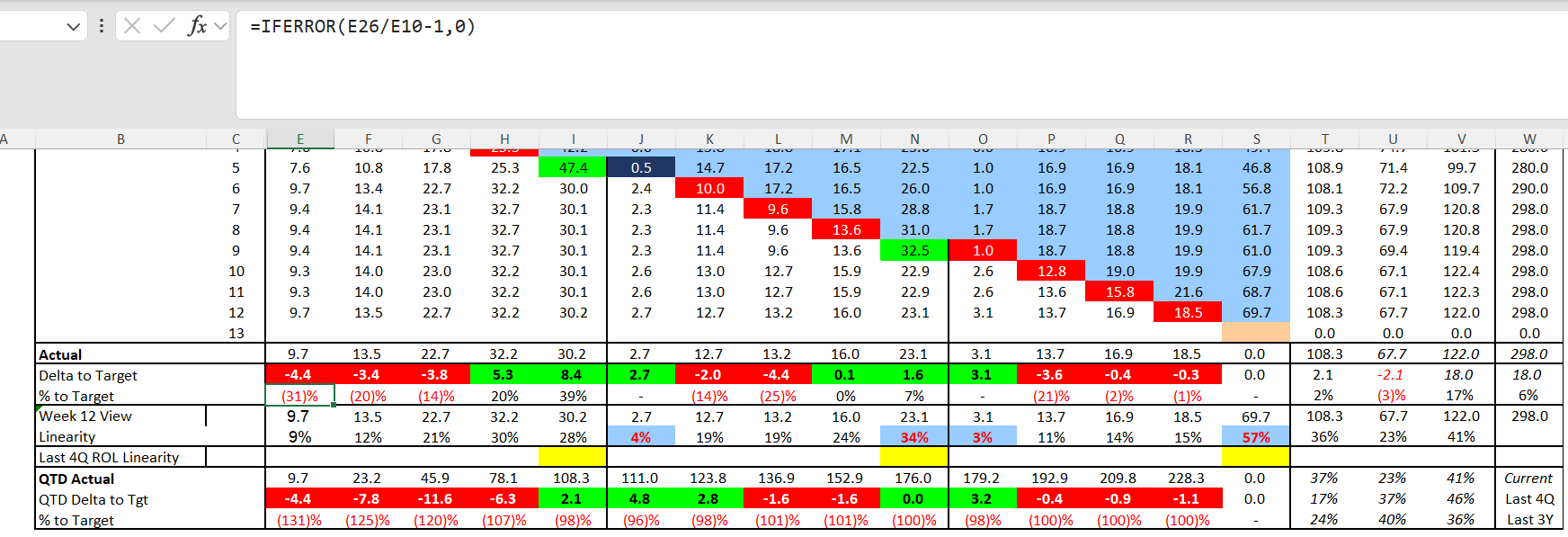
- Update Week View row using formula =E24. Drag the formula for all the weeks, Months & quarter.
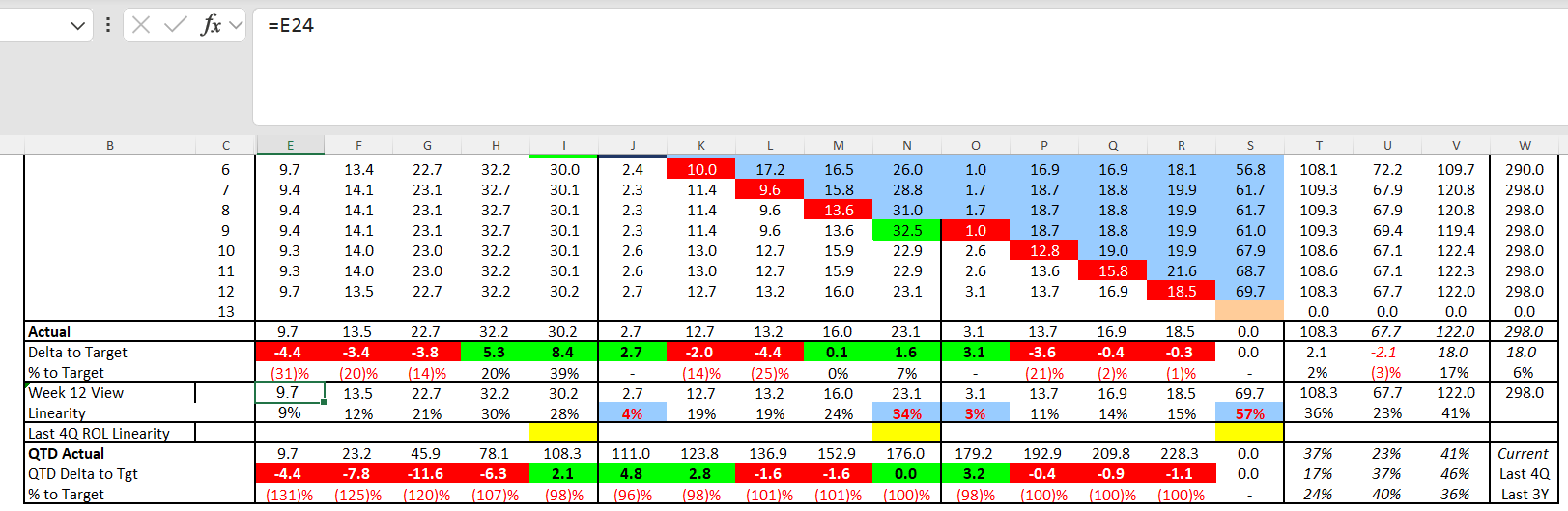
- Apply Linearity formula =E29/$T$29. According to week the monthly reference cell will change.
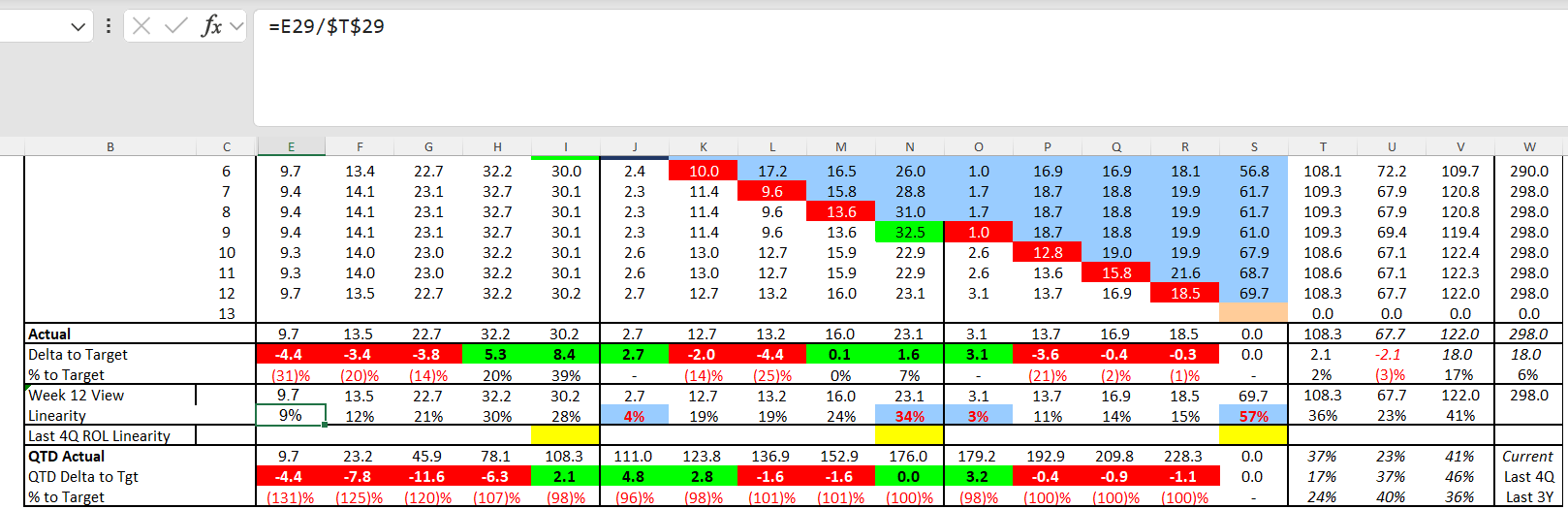
- Update QTD Actual using =E26 in first cell & =E32+ F26 in next cell and drag for all weeks.
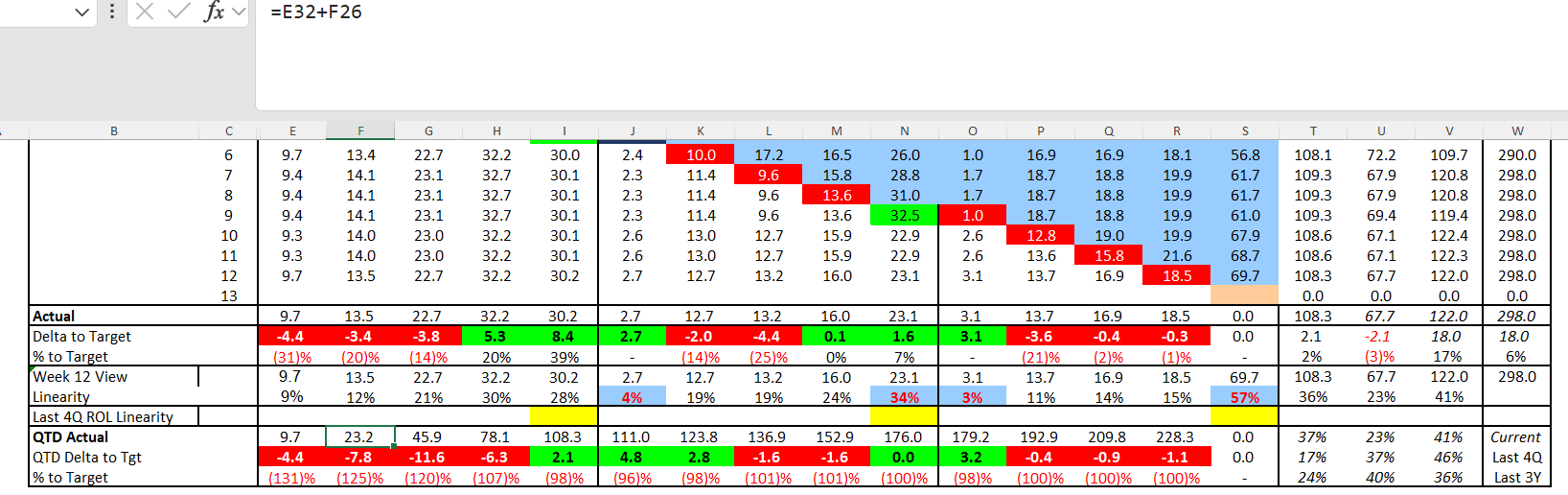
- Update QTD Delta to Target using =F32-F11 formula & F11 is Quarter target cell.
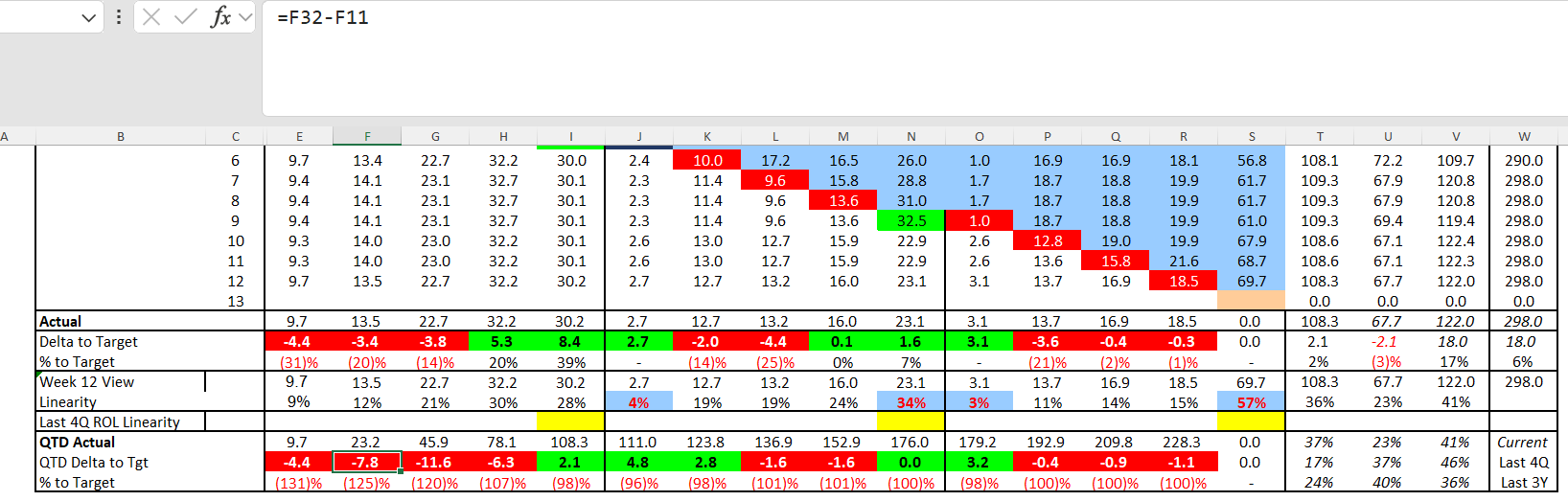
- Update QTD % to Target using =IFERROR(E33/E11-1,0) formula, percentage format.
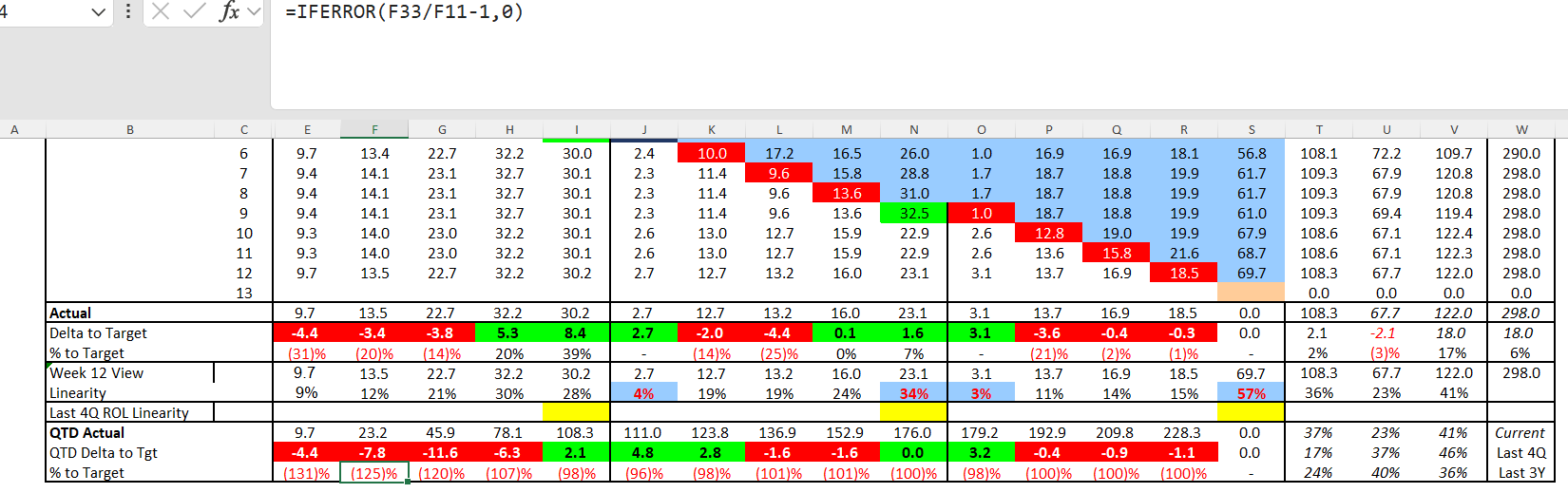
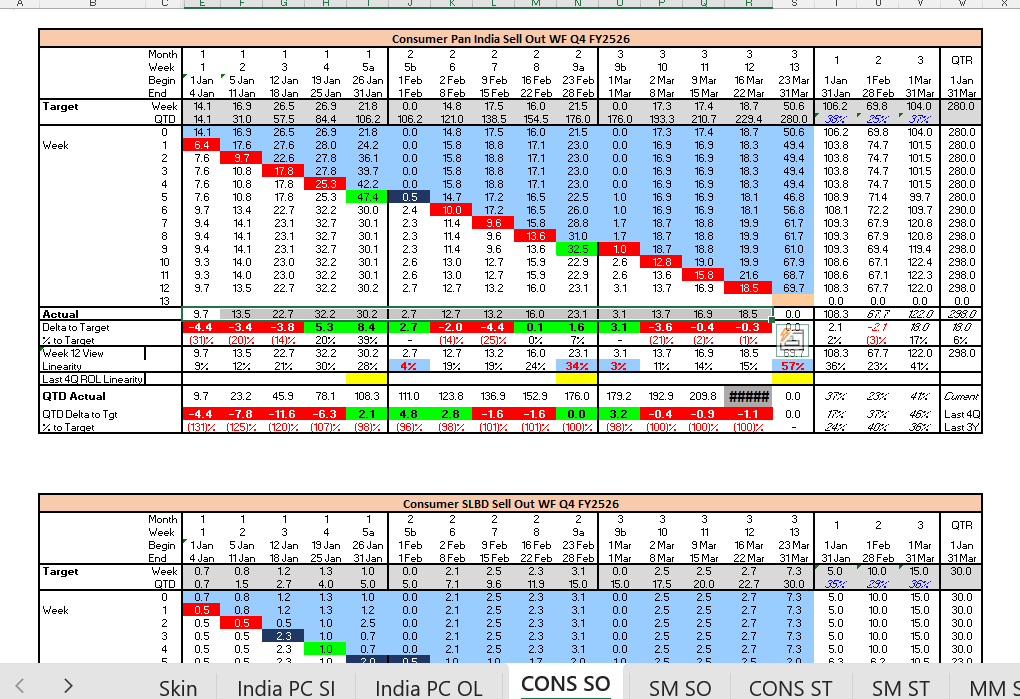
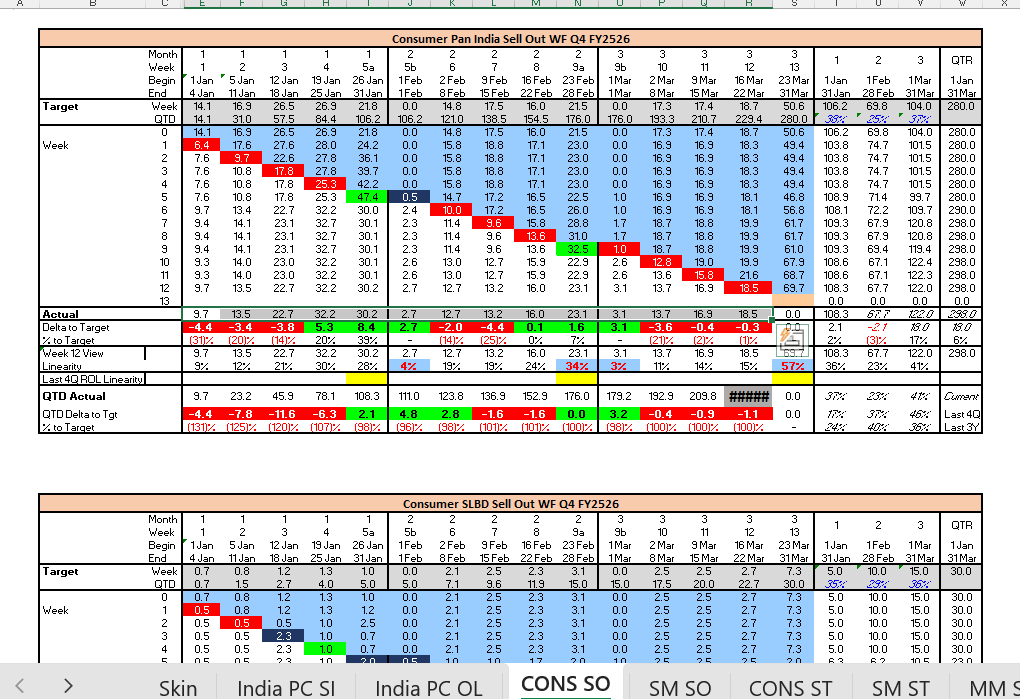
- Validate formatting and linearity should be 400%, Actual row cells total should match QTD Actual last cell Total. Eg. 228.3
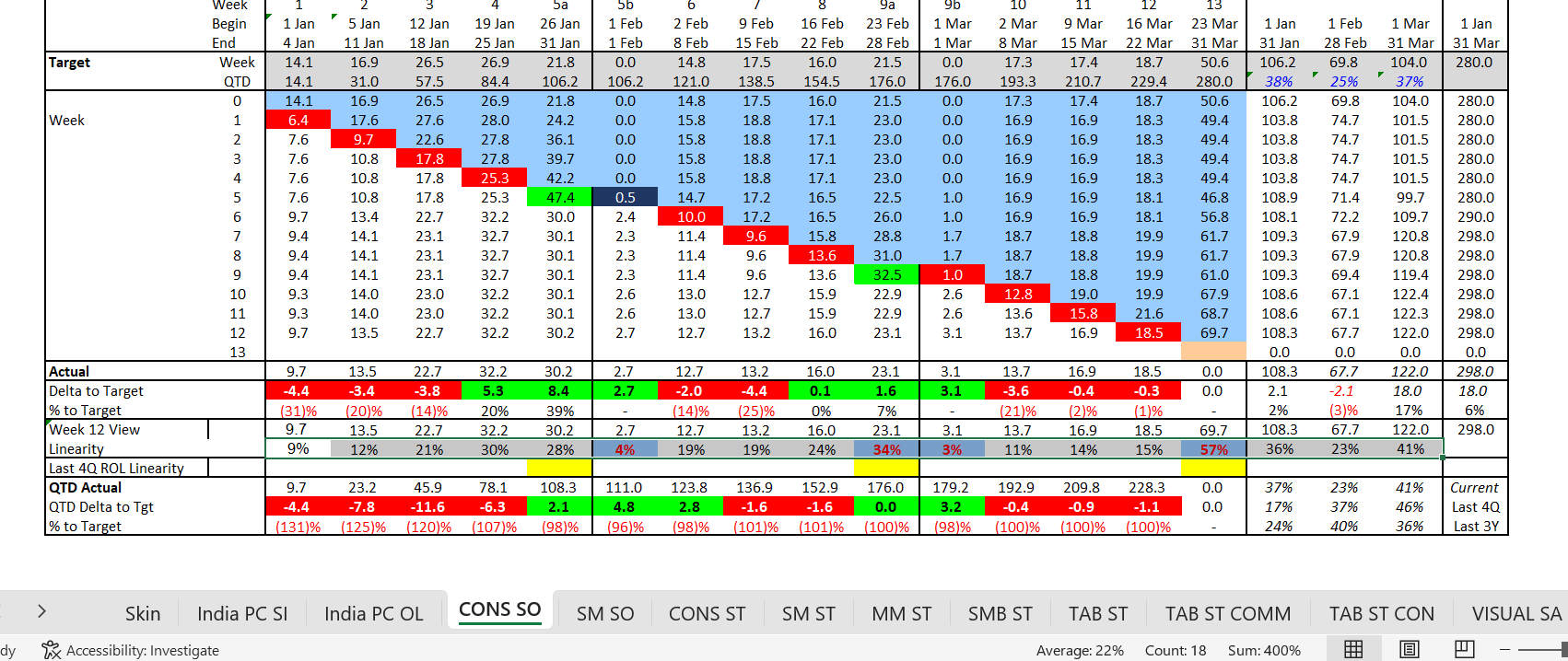
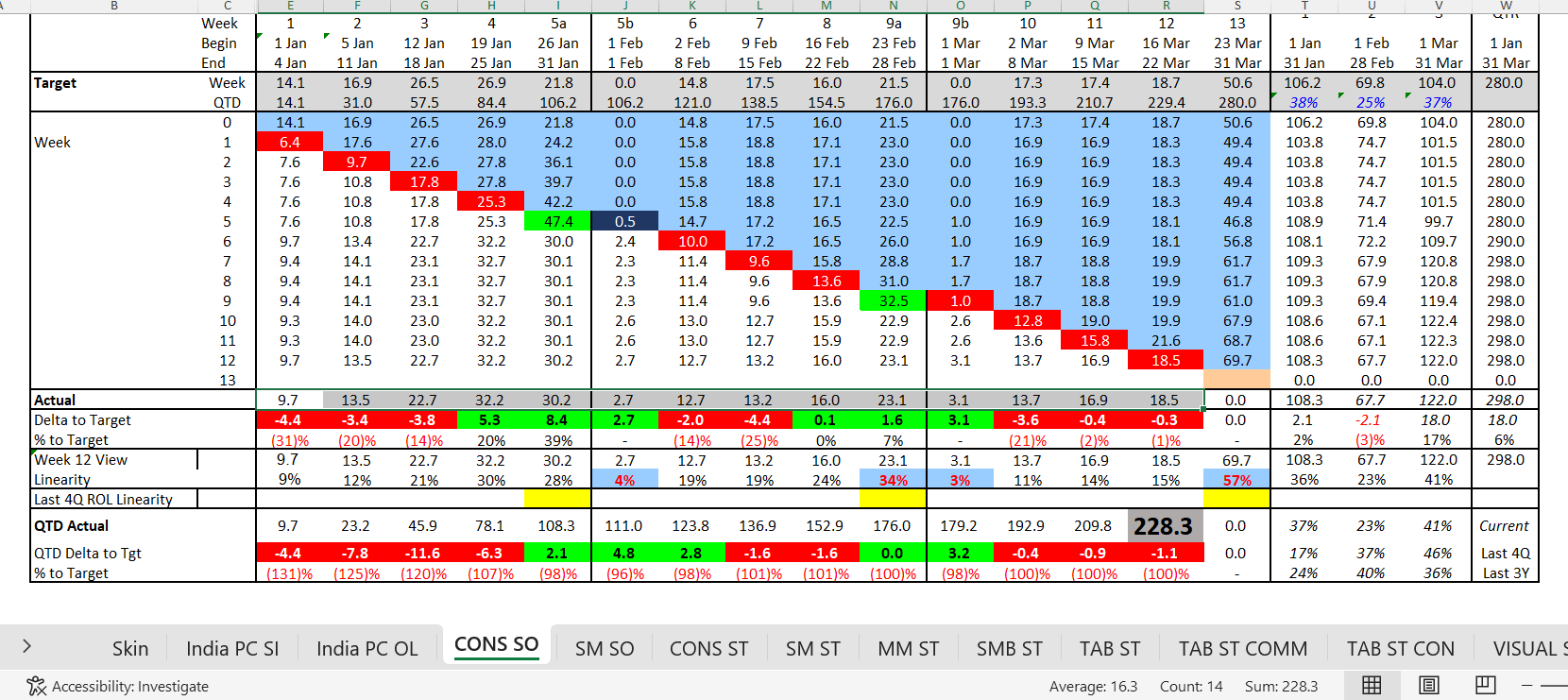
-
Repeat procedure across all 33 sheets.
-
Use WF Skin Mapper to identify source-to-target mapping.
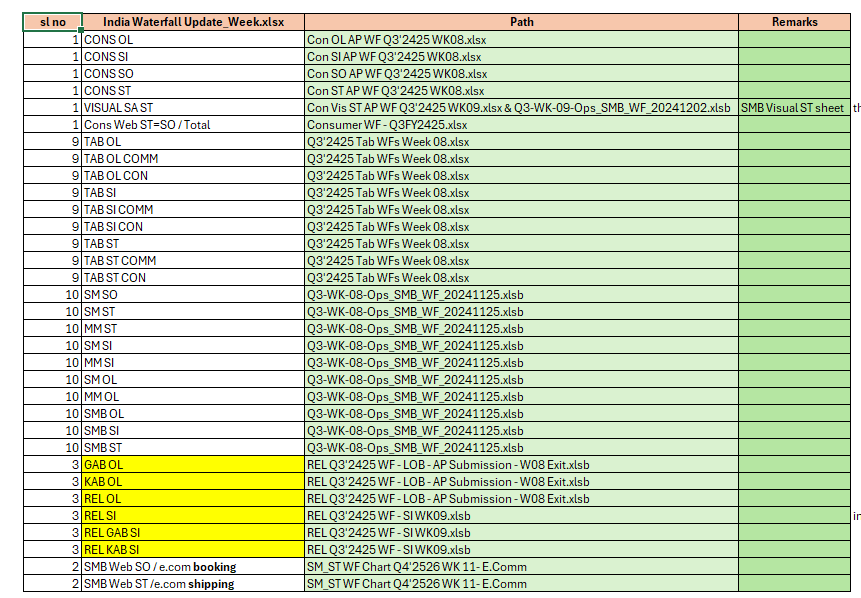
- For VISUAL SA ST combine CON and SMB data sources.
- SMB numbers from Ops SMB WF File, SMB Visual ST Sheet.
- CON numbers from CON Vis ST AP WF File.
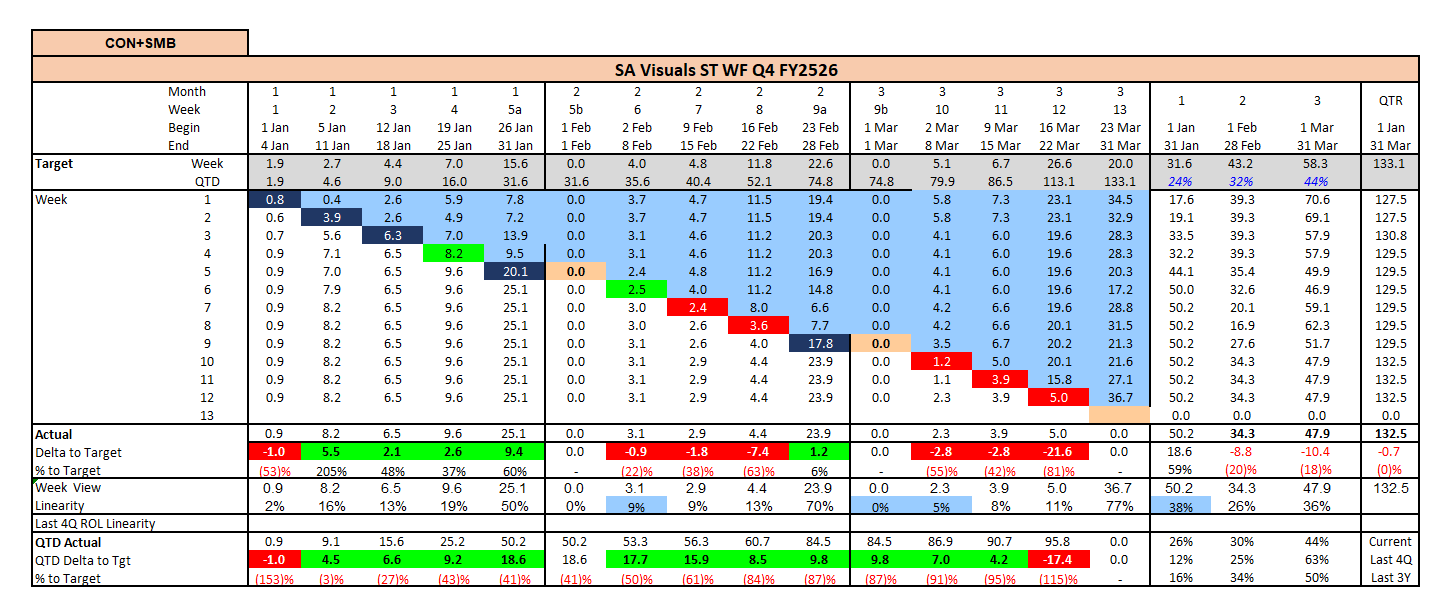
- Update CONS WEB WF using Consumer WF Total sheet and divide values by 1000. One by one divide all the rows by 1000. Adjust rows, copy last-week data to previous column, delete and hide last-week column.
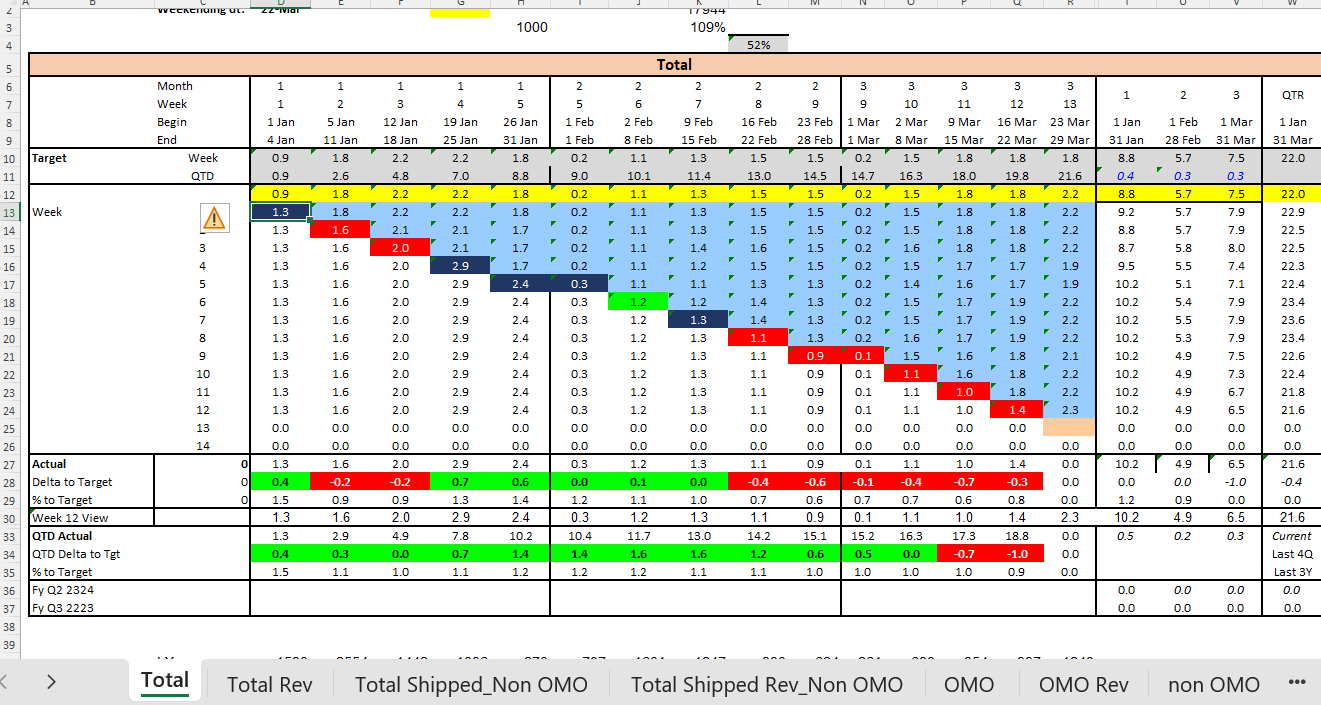
- Update both tables in CONS OL, SI, ST, SO sheets.
-
Cross-check Linearity and Actual rows with QTD Actual values.
-
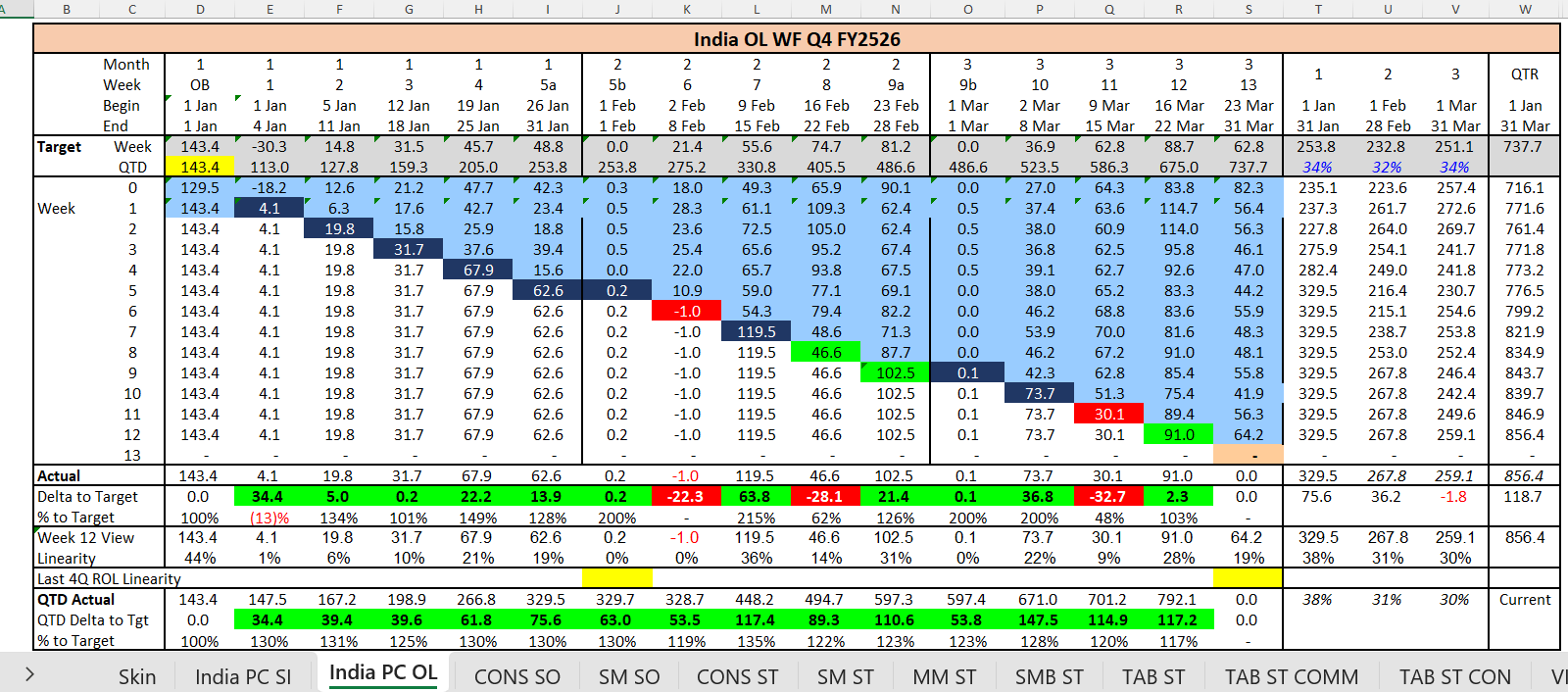
Fix formatting errors in India PC OL sheet and replace blanks with 0
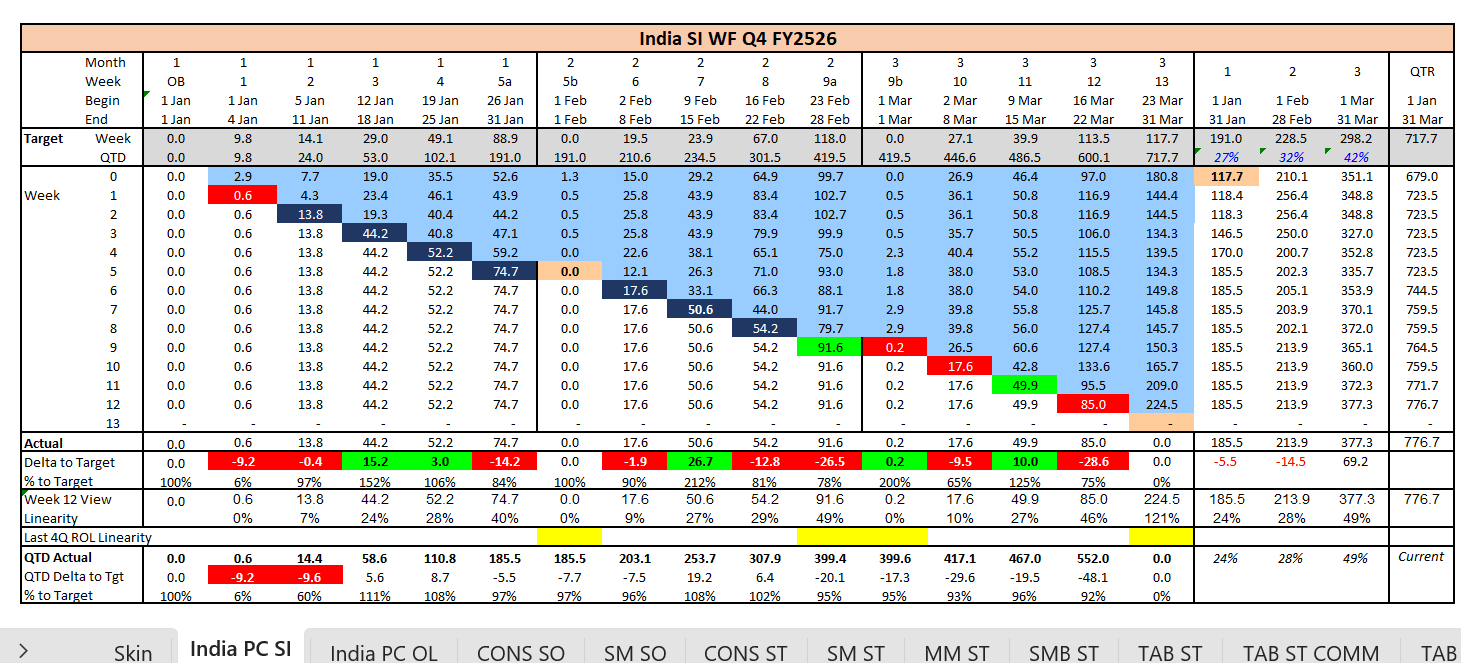
- Repeat validation for India PC SI sheet.
- Verify Skin sheet numbers against previous week. There should not be a significant difference; if there is, cross-check the updated numbers.
- Save and share finalized report.
1.13 Validation checklist
- Correct week selected.
- All mapped sheets updated.
- No blank cells causing errors
- Number Format = 1 Decimal
- Linearity total equals 400%
- Actual Total matches QTD Actual
- Numbers validated with previous week
1.14 Communication
- TO: du@lenovo.com
- CC: fulfillment.c@wyzmindz.com